Style & format
Set a project's look once, so every shot and asset sheet is made the same way.
A project's look is written once, on its home page, and goes into everything the project makes. Set it before you generate, and every shot starts from the same format, style, physics and sound. The cards sit below Sequences on the project's home page.
Style & format
The format, look, physics and sound every shot in this project is made with. Style and Medium also guide the reference sheets made for your assets.
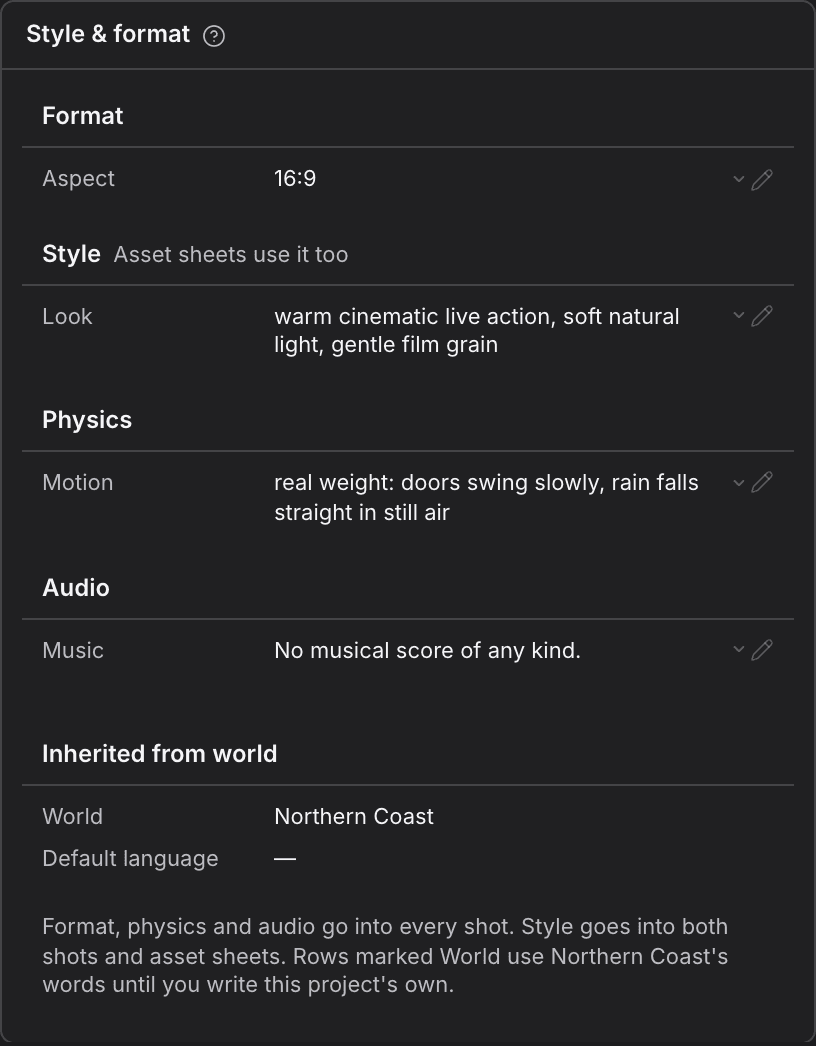
- Find Style & format on the project's home page.
- Select the pencil on a row to edit its words, or Select style on a row that offers ready-made choices. Picking Real-life also sets the medium to live action, and Animated sets it to animated.
- To go back to the starting words, open the row's menu and choose Restore default.
| Group | Where it goes |
|---|---|
| Format | Aspect: every shot. Medium: every asset sheet, so a live-action project's sheets come back as real photographs and an animated one's as one drawn style. |
| Style | Every shot, and every asset sheet too. |
| Physics | Every shot. |
| Audio | Every shot. |
- Rows marked World use the project's World's words until you write your own.
- Inherited from world shows the World and its default language. Change those on the World.
For agents
project_write (type: project_style_update)— fields:projectId,fields.format,fields.style,fields.physics,fields.audio
Negative & Never
What this project's pictures should never show. Negative keeps things out of every shot; Never rows keep things out of each kind of asset's reference sheets.
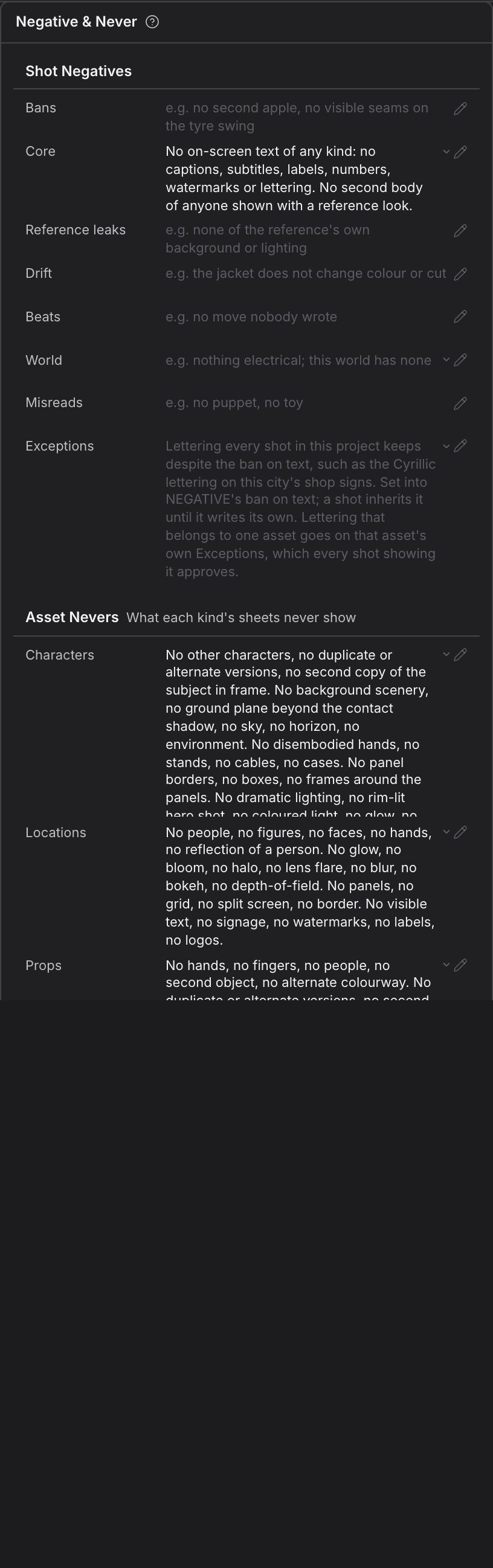
- Find Negative & Never on the project's home page.
- Edit the rows the same way as in Style & format: the pencil, Select style, or Restore default.
- Negative rows go into every shot, to keep out what you never want on screen.
- Asset sheet rows shape every asset reference sheet.
- Asset Nevers list, for each kind of asset, what its sheets never show. They go into asset sheets only.
For agents
project_write (type: project_style_update)— fields:projectId,fields.negative,fields.sheet