Needs attention
See everything in a project that is blocked, failed or flagged, and clear it.
Needs attention gathers everything in one project that is waiting on you: blocked shots, failed jobs and open findings. Open it from Needs attention in the project's left panel. The number in the bar counts what is waiting.
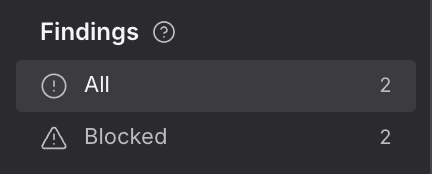
Findings
Narrows this project's list to one kind of problem, such as a blocked shot or a failed job. Pick All to see everything again.
- Open a project and choose Needs attention in its left panel.
- Under Findings, choose a kind to show only those, or All to show everything.
- In the list, choose Open on a row to go straight to what it is about.
- Choose Dismiss to clear a row you have dealt with.
| Kind | What it means |
|---|---|
| Blocked | A shot that can't go ahead until something is fixed. |
| Rights | A question about whether you may use something. |
| Continuity | Something that doesn't match from one shot to the next. |
| World model | Something that goes against the project's World. |
| Failed job | A generation that didn't finish. |
- Each kind shows how many rows it has.
- When the project is clear, the page says Nothing needs attention.
- If a kind has no rows, the page says so and offers Show all.
For agents
studio_read (type: attention_list)findings (type: attention_dismiss)— fields:attentionIdfindings (type: attention_restore)— fields:attentionId